
Docs · Glidepath
Install guide: onboarding a new app
This is the one-time setup that happens before cicd.yaml means anything. If your app
is already onboarded, skip to quickstart.md instead.
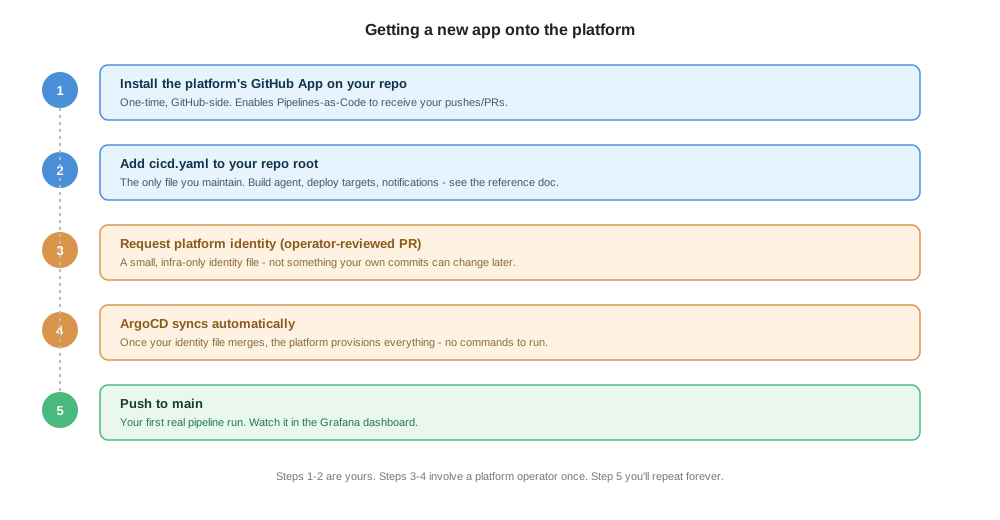
1. Install the platform’s GitHub App on your repo
One-time, done from GitHub’s side. This is what lets Pipelines-as-Code see your pushes and PRs and report status checks back - no webhook secrets or CI tokens for you to manage.
2. Add cicd.yaml to your repo root
This is the only file you maintain going forward. Start from
quickstart.md or copy the closest match from examples/.
At minimum you need a build block:
apiVersion: platform/v1
kind: PipelineConfig

build:
  agent: nodejs-20
  script: ./build.sh

pipelines:
  ci:
    trigger: { source: git, event: push, branch: main }
    steps:
      - stage: build
3. Ask a platform operator to register your app
Send a platform operator your app’s name, repo URL, GitHub org, and (if you want a
release stage) your gitops-<app> repo URL. They add a small identity file for your
app to the platform’s own repo, via a PR - not something you write or edit yourself,
and not something your own commits can ever change later. This keeps a few
security-relevant facts (which gitops repo a release PR targets, which secrets your
pipeline can read) outside developer control.
4. Wait for the sync
Once that identity file merges, ArgoCD provisions everything your app needs automatically - no commands to run by hand. Check with your platform operator if it’s been more than a few minutes and nothing’s showing up.
5. Push to main
This is your first real pipeline run, and the thing you’ll repeat from here on. Watch it in the Grafana dashboard your platform operator can point you to.
If you get stuck
- Nothing happens after you push: confirm
cicd.yamlvalidates against the schema (see quickstart.md) and that it’s on the branch you pushed to. - You need a Deployment to already exist: the platform patches an existing Deployment on deploy - it doesn’t create one from scratch. Ask your platform operator if you’re not sure whether this is already set up for your app’s dev environment.
- Anything deeper than this (what the identity file contains, how the sync actually works) is operator territory - see the admin docs’ onboarding-mechanics reference if you’re the one running the platform, not just using it.